
Photography
Team headshots: how to prepare so everyone looks like themselves
A preparation guide for company headshot days: wardrobe, scheduling, consistency across a team and what to do with the files.
By Tyler RiveraUpdated 8 min read

Most people dislike having their photo taken, and that is perfectly normal. Good preparation makes a headshot day quick and comfortable, and the results look like the person your clients and coworkers actually know. This guide walks an office manager or business owner through getting a whole team ready.
Our approach is to make the decisions that affect everyone once, ahead of time, so the day itself is about helping each person relax. When the group is consistent and each individual feels at ease, the team page looks like one company made of real people.
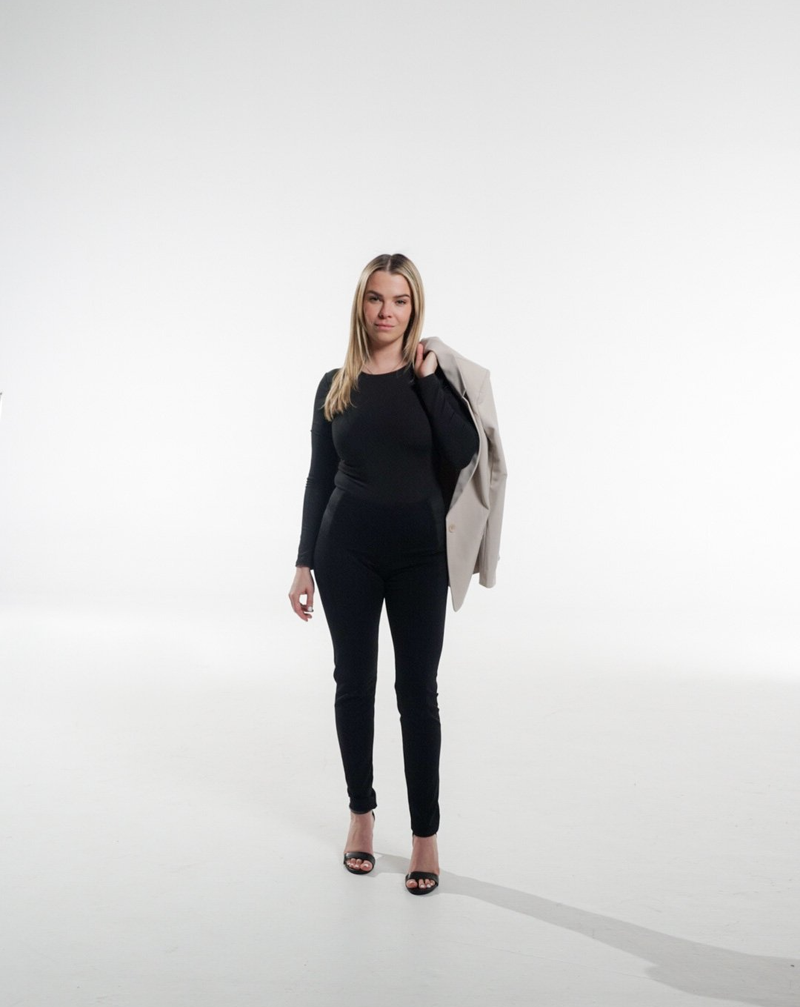
What should we decide as a company first?
Before anyone picks an outfit, agree on a few shared choices. We start with these questions:
- Where will the photos be used: your website, email signatures, professional profiles, press kits, or printed material?
- What background fits your brand: a plain studio backdrop, an office setting, or something outdoors?
- How will each person be framed: head and shoulders, or a little wider?
- Who is the single contact who will answer questions and manage the schedule?
Answering these early prevents the common problem of a team page where every photo looks like it came from a different place. Our photography page shows the kind of portrait work we offer, and the portfolio has more examples of our style.
Studio, office, or location?
| Setting | Strength | Consideration |
|---|---|---|
| Plain studio backdrop | The most consistent look across a team, easy to add people later | Less sense of place |
| In the office | Shows your real workspace | Light and background vary from room to room, so we choose one spot |
| Outdoors or on location | Warm, relaxed feel | Weather and time of day matter, and matching later is harder |
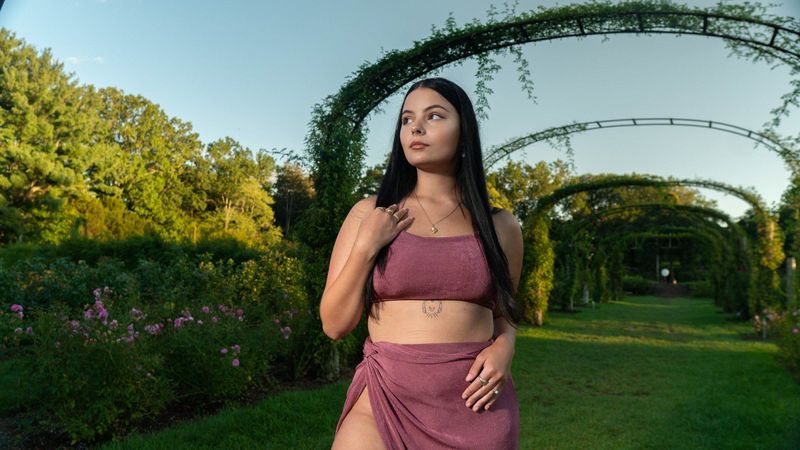
For most teams that want a clean, consistent set, we lean toward one controlled setup. A location look is a real choice, though. It can suit creative businesses and individuals who want something more personal, as the portrait below shows.
What should people wear?
Solid colors usually work best, because they keep attention on the face. Choose something comfortable that fits well and that you would wear to meet a client. A few simple guidelines:
- Avoid small, busy patterns such as thin stripes or tight checks, which can look odd on camera
- Skip large logos and bright neon
- Bring two or three options, including a jacket or blazer
- Iron or steam everything the night before
- Check the fit while sitting down, since clothing can bunch
- Wear what makes you feel confident, not stiff
Colors close to your skin tone can wash you out, so bringing a few choices lets us try them against the backdrop. Because the whole team will appear side by side, it helps to share a general direction, such as "solid, mid to dark tones, no white shirts," without insisting on uniforms.
Grooming and glasses
Hair and grooming should look the way you normally have it. A fresh trim a few days ahead is better than a brand new style on the day. Keep jewelry simple so it does not pull attention from the face. Remove lanyards and badges, and bring a lint roller for dark clothing.
Glasses are fine. If your lenses reflect light, tell us and we will adjust the angle of the head and the lights. Bringing a second pair, if you have one, can also help. If you wear glasses in everyday life, we generally photograph you wearing them so the picture looks like you.
How do we help shy people relax?
Tell everyone what to expect: a short sitting, a few different expressions, and a chance to look at the results. Let people go one at a time instead of in front of coworkers if they prefer. Suggest that they think about something that makes them smile, rather than forcing one.
We guide posture, chin, shoulders, and angles as we go, so nobody has to figure it out alone. Small directions go a long way. Angling the body slightly, relaxing the shoulders, and breathing out before the shot often change the whole image. We also vary expressions, with one more serious and one warmer, so you can choose which fits where.
The step-by-step plan for the day
Here is the process we follow with teams of any size:
- Set the goals. Confirm where the photos will be used and what look you want.
- Pick a setup. Choose a backdrop and framing that suits the whole group.
- Build the schedule. Give each person a slot, with a few spare slots for late arrivals or changes.
- Send wardrobe guidance. Share the clothing tips above a week or so before the day.
- Prepare the space. Find a quiet room with enough space and light, and tell us the layout in advance.
- Photograph each person. We guide each sitting, shoot several expressions, and show a preview when it helps.
- Collect names and titles. The coordinator confirms spellings so files are labeled correctly.
- Review and choose. After the day, each person and the coordinator look at the options and pick their favorite.
A hypothetical example: a 14-person accounting office in New Haven
Here is a hypothetical brief. Imagine an accounting office in New Haven with 14 people that wants new photos for its website and for each person's professional profile. The office manager is the contact.
The firm chooses a plain studio backdrop set up in a conference room, since it wants every portrait to match. The office manager sends the wardrobe guidance a week before: solid colors, a jacket if you like, no busy patterns. Staff sign up for slots on a shared sheet, with two open slots at the end of the day for anyone who needs a retake or arrives late. Two partners prefer to go first and two of the newer employees ask to go when the room is quiet, so the schedule is arranged around those wishes.
After the day, the office manager and each staff member look through the options and choose a favorite. The firm also asks for one group photo of everyone for the About page. Months later, when someone joins, the office books a short session with the same backdrop and framing so the new portrait matches. The exact amount of retouching, number of final images, and delivery timing are agreed with us before the session, so nothing is a surprise.
What happens after the shoot?
Choosing the final images
We help each person narrow the options to a favorite. Ask people to choose the one that looks like them on a good day, not the one that looks most polished. Sometimes the most relaxed expression is the best one.
Retouching expectations
Retouching is generally light cleanup, such as tidying stray hairs or distractions, not changing who someone is. The specifics of what is included are confirmed with you before we begin. If someone has a particular concern, tell us on the day so we can plan for it.
File use
Think about where each file will live: the website, a LinkedIn or similar profile, email signatures, press releases, and printed material. Different uses need different crops, so mention them in advance. Square crops suit many profiles, while websites may want a wider view. For companies that work in several areas, our corporate page explains how we work with larger teams.
Honest objections and tradeoffs
"Our people will not hold still for a schedule." Slots help, but flexibility helps more. Keep a few open times and let people swap. The tradeoff is a longer day, which is better than a rushed one.
"Why not just use phone photos?" Phone photos can be fine for an internal directory. The difference shows up when you put twelve people side by side: light, background, and framing tend to vary. A matching set takes more planning, which is where a session pays off.
"We have remote staff." This is common. Options include a simple guide so remote staff can take a similar photo, a visit when they are near the office, or a session at a convenient location. A remote photo will rarely match a studio one exactly, so we suggest being honest about the difference or using a consistent crop and background treatment where we can.
"Studio feels too formal." It does not have to. A studio backdrop can be warm with the right direction. If formality is your concern, mention it and we will adjust the pace and tone.
Pre-shoot checklist
- Uses for the photos agreed
- Backdrop and framing chosen
- A single coordinator named
- Schedule shared with spare slots
- Wardrobe guidance sent
- Space with room and light chosen
- Names and titles spelled correctly
- Plan made for remote staff
- Plan for new hires and a group photo
Planning for new hires and the group photo
A team changes, so plan for that from the start. Ask us to note the backdrop, framing, and general lighting so a new hire's portrait can match the existing set later. If you hire often, a short recurring session can be easier than ad hoc visits. Our page on how to hire staff with media shows how a team page and other visuals support recruiting, and we cover property-focused portraits in our real estate work for agents who need a headshot for listings and signs.
A group photo is a separate setup. Choose a space where everyone fits comfortably, and ask people to wear colors that work together. Our guide to corporate video shoot preparation covers coordinating many people on one day, and agents can pair these ideas with real estate video tour tips. When you are comparing providers for any of this, our guide on choosing a Connecticut video production company explains what to look for.

Frequently asked questions
How long does each person need?
It varies from person to person, and we plan the schedule with you based on the size of your team. Nervous sitters often need a little more time at the start. Spare slots in the day protect against delays.
Can people bring more than one outfit?
Yes, and we encourage it. Two or three options let us choose what looks best against the backdrop. Keep the outfits similar in formality so the set still feels consistent.
What if someone is unhappy with their photo?
Tell us on the day or after you review the options. We would rather work through a concern than have someone stuck with a picture they dislike. The details of any additional options are agreed with you in advance.
Can we use the photos anywhere?
Usage is discussed with you before the session. Let us know whether you plan to use the images on your website, in press, or in print, so we can plan crops and files for each use.
Do you photograph people at our office?
We can, and often that is the easiest route for a team. We choose a quiet room, set up one consistent spot, and keep the day organized so people can step in and out between their work.


