Corporate video
Can we record employee introduction videos during headshot day?
Yes, with planning: who needs a photo, a video or both, one operator versus two crews, a worked two-crew schedule, quiet audio, and how the finished clips and photos fit together.
By Tyler RiveraUpdated 11 min read
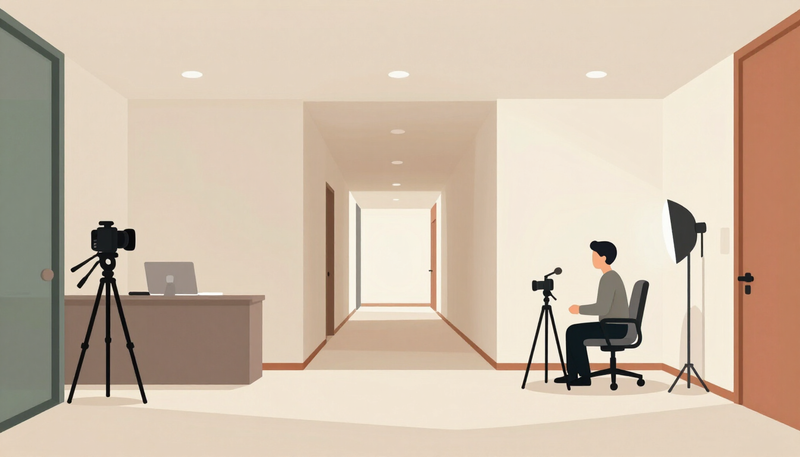
Yes, you can record employee introduction videos during headshot day, with planning. Photos and interviews can share one day and one roster, but they cannot share one operator at the same moment. If the photo station and the interview station run at the same time, they need separate crew. With one operator, the day runs in sequential blocks: photos, a changeover, then interviews. Either way, the roster, the order, the room layout and the schedule are settled before the day. All timings below are illustrative planning assumptions, not a promise about any package or how long your day will take.
The photo side of the plan lives in other guides. For wardrobe, comfort and scheduling a larger headshot day, read how to organize headshots for 30 employees, and for matching a later hire to the existing set, see whether new employee headshots can match your team photos. If you are weighing a photo-only day, the headshots page is the place to start, and the employee bio video page describes the video side.
Should headshots and bio videos really happen in the same session?
Often yes, because the hardest part of either project is the same: getting a group of busy people into one place, dressed and ready, with a room set aside. If you are going to ask everyone to be camera-ready on a particular day, it makes sense to collect both assets while they are.
There are good reasons to separate them too. Bio videos ask people to speak, and some people need time to settle. Headshots reward a short, brisk sitting. If the schedule forces a nervous person through a long interview right before a photo, the photo can suffer. If your team is large, a long day of back-to-back slots can tire everyone, including the person behind the camera.
A useful test is to ask what each person actually needs. Some employees need only a headshot for the website, email and directories. A smaller group, such as leadership, client-facing staff or new hires you want to introduce, may also need a short on-camera introduction. Plan the day around that second, smaller group, and let everyone else pass through the photo station only.
Which people get a photo, a video, or both?
Start with a roster, not a schedule. List every person and mark what each one needs: photo only, or both. A simple roster has four columns, and you can build it in a shared spreadsheet before the first call.
| Person or group | Photo needed | Bio video needed | Notes to confirm |
|---|---|---|---|
| Leadership | Yes | Yes | Wardrobe change allowed, quiet room for interview |
| Client-facing staff | Yes | Some | Which roles introduce themselves to customers |
| Operations and support | Yes | Optional | Willingness, not obligation |
| New hires and remote staff | Later | Later | A plan for a catch-up session |
The last column matters. Nobody should feel forced onto video. Being on camera is a different request from having a photo taken for a staff page, and people should be able to say yes to one and no to the other. Ask early and in writing, give a clear way to decline, and do not tie the answer to anything about their standing in the company.
Also decide where each asset will live before you finalize the roster. A bio video for the website is shaped differently from a clip for a recruiting page. If recruiting is a goal, our recruiting video planning guide treats that separately.
How do you build the schedule?
Build it backward from the two stations. The photo station is short and repeatable. The interview station is longer and varies by person. Because the interview slot varies, put a buffer after each interview block and keep the photo slots as the steady rhythm that keeps the day moving.
There are two common patterns.
- Photo first, then interview. People get their headshot while they are fresh and neat, then move on to the interview. This protects the still image, which is usually the asset used most.
- Interview first, then photo. People settle into the camera by talking, then take a more relaxed portrait. This sometimes works for people who tense up when they simply stand and look at a lens.
Pick one pattern for the day unless there is a strong reason to mix them. The example below uses photo first, and it checks that every person's photo finishes before their interview begins.
A hypothetical two-crew schedule
This is a fictional 18-person professional services office where six people also record a bio. It assumes two crews working at once, one at each station. The photos run from 9:00 to 12:00 at 10 minutes each, so 18 people take 180 minutes. The six bio participants are photographed first, between 9:00 and 10:00.
| Time | Photo station (crew 1) | Interview station (crew 2) |
|---|---|---|
| 8:00 to 9:00 | Lighting and backdrop setup | Room, sound and camera setup |
| 9:00 to 10:00 | Photos of the six bio participants, 10 minutes each | Final sound check, then interview 1 at 9:15 and interview 2 at 9:40 |
| 10:00 to 12:00 | Photos of the other 12 staff, 10 minutes each | Interviews 3 at 10:05, 4 at 10:30, 5 at 10:55 and 6 at 11:20, ending 11:45 |
| 12:00 to 12:30 | Retakes, breaks and buffer | Pickup shots and buffer |
Each interview slot is 25 minutes and includes seating and a reset: 9:15, 9:40, 10:05, 10:30, 10:55 and 11:20, with the last ending at 11:45. The six bio photo slots begin at 9:00, 9:10, 9:20, 9:30, 9:40 and 9:50, so they end at 9:10, 9:20, 9:30, 9:40, 9:50 and 10:00. Every photo ends before that person's interview begins. The gaps are five minutes for the first person and longer for the rest, which gives time to walk across and sit down. The other 12 staff take the remaining 120 minutes, which makes 180 in all.
Staff do not need to wait at the stations. A waiting window can return to work, as long as they know when to come back, and the runner can message them. Nobody should be forced to sit and wait for the sake of the schedule.
The same day with one operator
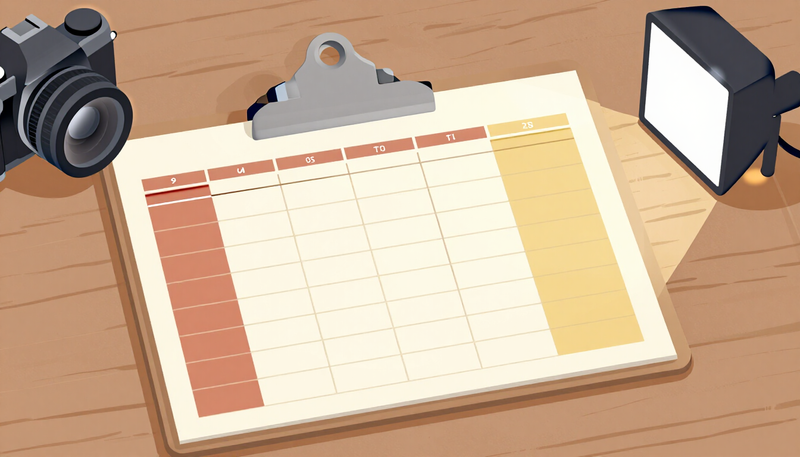
With one operator, the same 18 people and six bios would not fit in that window. A sequential version has setup of 60 minutes, then the photo block of 18 people at 10 minutes each, which is 180 minutes. A changeover from lights and backdrop to the interview setup is assumed at 30 minutes here, which is a figure to confirm with any team. Then six interviews at 25 minutes each take 150 minutes. That is 60 plus 180 plus 30 plus 150, or 420 minutes of scheduled work before meals and breaks, and it means the interview people wait through the photo block. The same person making the decisions keeps the look consistent, and that is the benefit. Our corporate video production process guide describes review and delivery in general terms.
Notice also how the length of the finished video differs from the recording slot. A 25-minute slot covers seating, a few warm-up questions, the answers and a reset. The finished introduction is edited from the best answers and is usually much shorter than the time spent recording. Its length is a decision for you and the production team, not a function of the slot.
How should the two stations be arranged?
Two stations need two kinds of space, and they should not interfere with each other.
The photo station wants a plain wall or backdrop, enough depth for the lighting and a clear spot for the next person to wait. The interview station wants a quiet room, a comfortable seat and good control over sound. Quiet audio has to be isolated from the photo activity: a flash firing, a chatty queue, a door opening or a laugh from the next room can all land in the recording. Doors, hallways, printers, HVAC and a kitchen next door can also spoil audio, so walk the building with the crew or review photos of the spaces first.
Think about flow as well. A short waiting area keeps the next person out of the way, and a clear route between stations avoids people crossing lights or wandering into a take. Someone from your team should act as a runner who brings the next person, checks off the roster and keeps the schedule honest. That job is easy to forget and is often the difference between a calm day and a late one.
Where the building has only one suitable room, you can still combine the two with a changeover between blocks. It costs time, so ask how long a reset takes before building the schedule around it.
What changes with one operator versus a separate crew?
This is where the plan depends on who is actually available, and it is something to confirm with any production team rather than assume.
With a single operator, the two stations cannot run at once. The schedule becomes sequential: a block of photos, then a changeover, then a block of interviews. That can work well for a small group, and it keeps the look consistent because one person is making the decisions. The trade-off is time. People wait while the other station is set up, and a long day is harder on everyone.
With separate crew for video and photo, the stations can run at the same time, so people move between them while both are active. The trade-off is coordination. Two crews need to agree on lighting that does not clash, on sound in the shared space and on who calls the schedule. They also need the same roster. A short call before the day, with both leads and one person from your team, usually resolves it.
Neither arrangement is better in every case. It depends on headcount, space and how much of the team is on video. Ask each team these questions:
- How many people can be at each station at one time?
- How long does a changeover between photo and interview setups take?
- Who calls the schedule and keeps it moving?
- How will the interview audio be protected from the photo station?
- Who selects the final images and the final video cuts, and when?
How do you help people with the on-camera part?
Short prompts work better than a script. Give each participant the same small set of questions a few days ahead, such as what they do, what a client usually asks them for and what they enjoy about the work. Make it clear that nobody has to memorize or recite anything, that they may skip a question, and that a stumble just means we try again. Our post on corporate video shoot preparation describes how to help people feel natural on camera, and that applies here.
Keep the question set short and the same for everyone, with room for a personal answer. A shy person often does best with two or three questions and a calm pace, while a confident speaker may be happy with more.
How do you keep videos and photos looking like a set?
Matching deliverables is the quiet benefit of a single session. A website team page that shows a headshot next to a short bio video looks better when the two feel related: similar wardrobe, similar light, similar tone.
Settle these before the day:
- Wardrobe. Pick one policy for both assets. A person who changes clothes between stations may need a note so the order of slots is recorded.
- Background. Decide whether the photo and interview backgrounds should match, complement each other or simply be tidy and neutral.
- Aspect ratios. Agree where the video will appear, since a square, vertical or wide clip is framed differently.
- Naming. Use a consistent file name that includes the person, the asset and a version, so a headshot and a bio can be paired later.
- Names, titles and captions. Agree on how names and titles appear in the video and on the page, and have each person confirm the spelling and title.
- Approvals. Decide who reviews each clip and whether the person appearing sees it before it is public.
- Permission. Confirm each participant's permission and the intended uses for both video and photographs, following your company policies and advisers.
A hypothetical example of an employee slot card
To keep the day moving, give each participant a one-line card, sent a few days ahead. This invented example is for a fictional person, not a Legend client.
Alex (operations manager). Photo only. Arrive at the start of block 2. Wear what you would wear to a client meeting. Bring one alternate top if you like. Wait in the lobby; the runner will collect you.
Jordan (client success lead). Photo and bio. Photo first, then a short interview in the quiet room. Question set attached. You may decline any question. Please confirm you are comfortable appearing on the website.
Notice that each card says exactly what to expect and includes a way to say no. It also stops people from guessing about wardrobe or timing.
What should happen after the session?
Plan the aftermath before the day, because it is where many projects stall.
For photos, decide who chooses the finals and how people can request a different pick. For videos, decide who reviews each bio for accuracy and tone. Agree on how late arrivals and absent employees are handled. A short follow-up session, or a plan for new hires, is better than an improvised fix. Be clear about how long you intend to keep using the assets and how a departing employee's photo and bio will be handled. Those are policy questions for your company, and the agreement with your production team should reflect your answers.
Frequently asked questions
Can one person take the photos and record the videos?
Not at the same moment. One operator works the stations in sequence, which lengthens the day. Running both at once needs separate crew.
Should everyone record a bio video?
Not necessarily. Many companies record bios only for leadership and client-facing roles. Participation should be a real choice.
Does photo permission cover video?
Treat them as separate questions. Confirm with each person that they agree to both video and photos, and to the places you plan to use them. A person may be glad to have a staff photo and not want a video, or the reverse. Follow your company policies and advisers on how that agreement is recorded.
What if some employees cannot attend on the day?
Plan a catch-up block or a later session, and use the same wardrobe and background guidance so the new images match.
Where does this fit in a bigger content plan?
A combined day gives you a library of people-focused assets. Our corporate video page shows the wider range of projects, and a simple conversation about uses will tell you which of them you need.